Fixing Magento 2 “Unable to Unserialize Value” Errors (CSP & Redis)
If your Magento 2 store is intermittently breaking at checkout with an error like:
Unable to unserialize value. Error: Syntax error
you’re not alone. This is a known issue that can affect high-traffic stores, particularly those running Redis and Magento’s CSP (Content Security Policy) module.
At Measured Designs, a Magento and WordPress web design and development specialist based in Leigh-on-Sea, Essex, we regularly diagnose and resolve these kinds of complex, revenue-impacting issues. In this guide, we’ll explain exactly what’s happening — and how to fix it properly.
What Causes the Error?
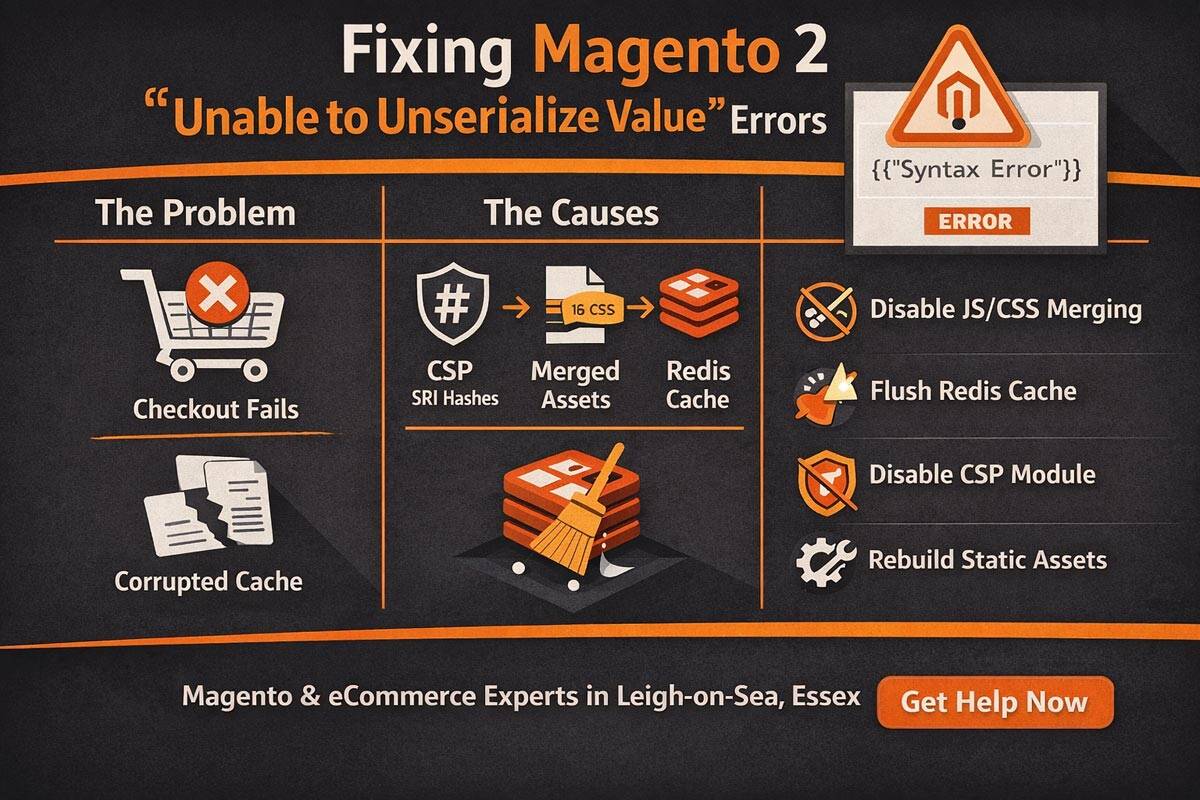
This issue typically originates from Magento’s CSP module, specifically during the generation of Subresource Integrity (SRI) hashes for merged CSS and JavaScript files.
When enabled, Magento:
- Merges JS/CSS files
- Generates integrity hashes
- Stores those hashes in cache (often Redis)
However, under certain conditions — particularly concurrent requests or deployments — Magento can write incomplete or corrupted JSON into the cache.
When Magento later tries to read that data, it fails:
Magento\Framework\Serialize\Serializer\Json->unserialize()
Result:
- Checkout breaks
- Frontend assets fail to load
- Revenue is directly impacted
Why It Keeps Coming Back
A common pattern we see is:
- Cache is cleared → site works
- Traffic resumes → assets regenerate
- Multiple processes write to cache simultaneously
- Corrupt JSON is stored
- Error returns
This is especially common on setups using:
- Redis caching
- JS/CSS merging
- Automated deployments or cron overlap
Step-by-Step Fix
1. Flush Redis Cache
If you’re using Redis, clear both cache databases:
redis-cli -n 0 FLUSHDB
redis-cli -n 1 FLUSHDB
Then flush Magento:
php bin/magento cache:flush
2. Disable JS & CSS Merging
This is the primary trigger for the issue:
php bin/magento config:set dev/js/merge_files 0
php bin/magento config:set dev/css/merge_css_files 0
3. Disable Redis Compression (Recommended)
In app/etc/env.php, set:
'compress_data' => '0',
This reduces the likelihood of corrupted cache payloads.
4. Disable Magento CSP (Quickest Fix)
If you need an immediate, stable fix:
php bin/magento module:disable Magento_Csp
php bin/magento setup:upgrade
This removes the failing SRI process entirely.
5. Rebuild Static Assets
rm -rf pub/static/* var/view_preprocessed/*
php bin/magento setup:static-content:deploy -f
Long-Term Prevention
To stop this issue recurring:
- Avoid asset merging in production
- Ensure deployments run in maintenance mode
- Prevent overlapping cron jobs
- Consider disabling only the CSP SRI plugin instead of the full module
- Implement a fail-safe around JSON unserialisation

When to Seek Expert Help
If this issue is recurring every few days, it’s a sign of a deeper architectural problem — not just a one-off bug.
At Measured Designs, we specialise in:
- Magento performance optimisation
- Debugging complex cache and Redis issues
- Stabilising high-traffic ecommerce environments
Struggling with Magento errors or checkout failures?
Explore our Magento development services.
Or get in touch for a fast diagnosis and fix:
https://www.measureddesigns.com/contact-us/
Final Thoughts
This Magento 2 error is a classic example of how modern ecommerce platforms can fail under concurrency and caching edge cases.
The key takeaway:
It’s not a hack, and it’s not random — it’s a predictable interaction between CSP, Redis, and asset merging.
Fix the root cause, and your store will remain stable.
If you’d like help implementing a permanent fix or auditing your Magento setup, Measured Designs is here to help.